hx Extensions Management
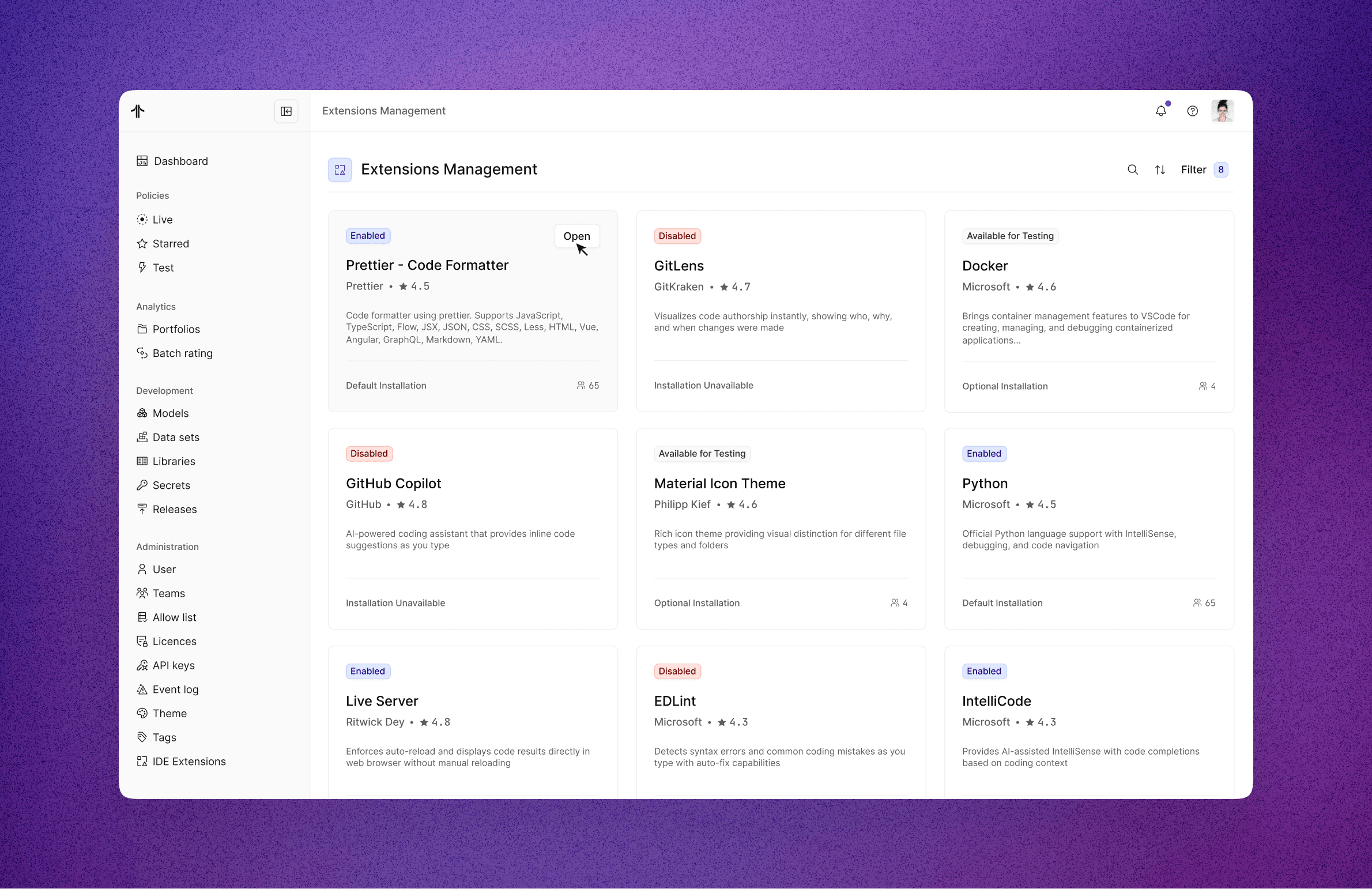
Centralised the admin's control over which VS Code extensions are available to their pricing model developers and how those behave in Hyperexponential's cloud IDE.
Problem and Context
Developers rely heavily on their tooling to write, format, and maintain high‑quality code, so expecting them to stick with hx Renew’s IDE without extensions would be unrealistic in the long run. At the same time, it was important that admins still feel in control of what runs in their environments.
To balance this, the team reviewed the most commonly used extensions for model developers and curated a set of authorised, vetted options that customers can safely enable for their users. I ran some design research to understand how other tools were handling integrations, which I felt had a similar user experience than extension management in the portal.
Problem statement:
Users of the cloud IDE struggle to safely discover, install, and use VS Code extensions because there is no managed or compliant way to support them. This limits their ability to access helpful tools and slows down their workflow.
Key problem to solve:
The cloud IDE does not support IDE extensions, preventing model developers from installing or using productivity tools they rely on in local environments.
There is no way for administrators to manage, approve, or restrict IDE extensions within the Pricing platform, creating a gap in control, security, and standardisation.
The Actuarial Agent is only available as an IDE extension. Because extensions are unsupported, users currently have no way to install or access this tool in the cloud IDE.
The inability to support extensions directly prevents the platform from shipping key capabilities, limiting the overall value of the Pricing platform for actuarial and model-development workflows.
Process
Because this initiative was led by the Model Development Experience team, I was able to leverage their close relationship with users and deep understanding of the platform. Through ongoing feedback and discovery conversations, we identified a recurring pain point: table fatigue. Users were overly reliant on dense tables, which made it difficult to scan large datasets, identify patterns, and quickly distinguish what information mattered most.
To address this, we focused on exploring alternative UI patterns that could make complex data easier to interpret and more intuitive to work with, without sacrificing accuracy or depth.
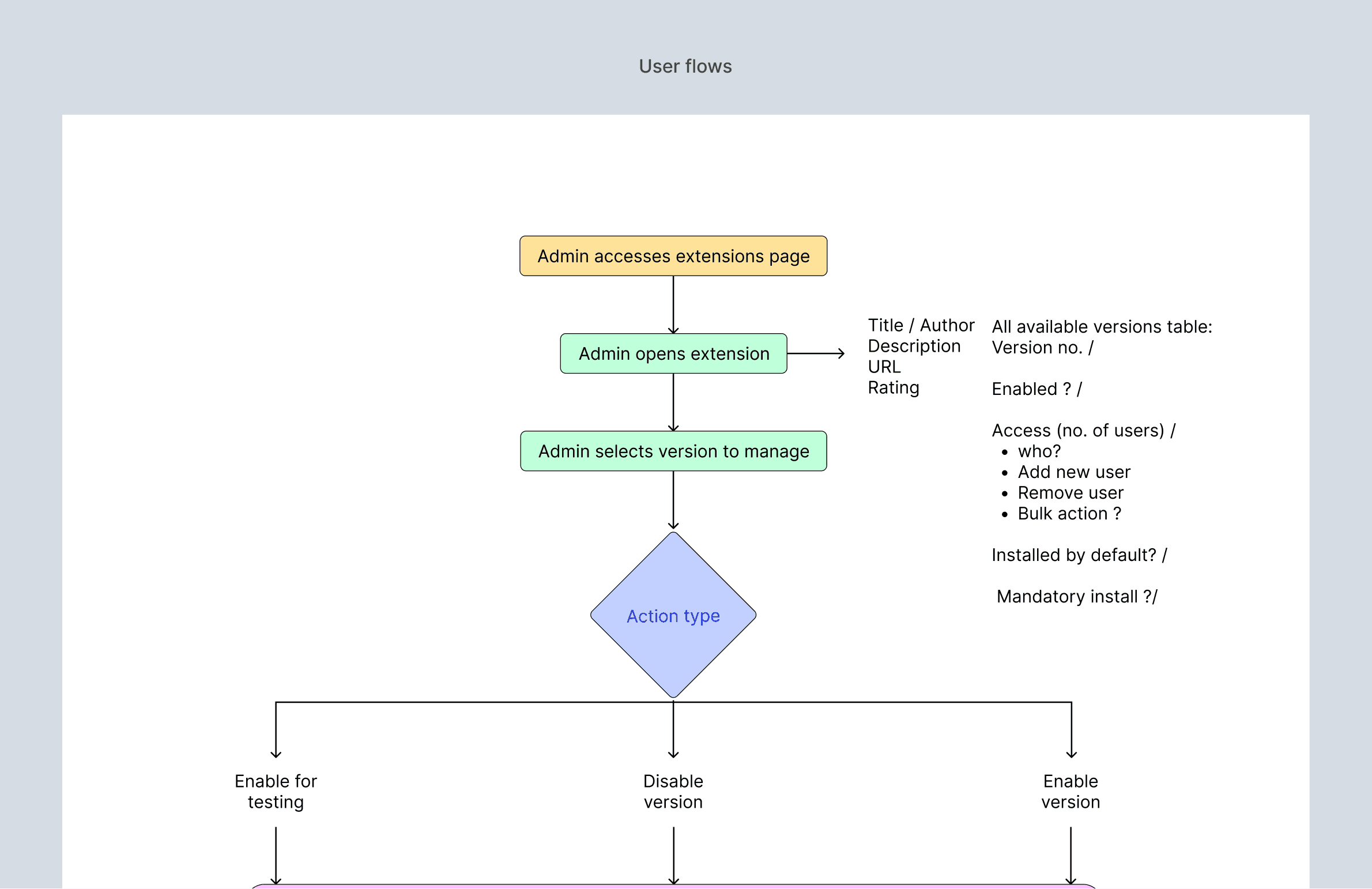
After defining the core user flows and aligning with the product manager on the overall direction, I began the exploration phase. I used Claude to generate a range of visualisation approaches for presenting the same information, drawing inspiration from comparable patterns used in other products across the market. These explorations helped us quickly broaden the solution space before refining concepts that best fit our users’ workflows and constraints.
Designing for confidence and consequence
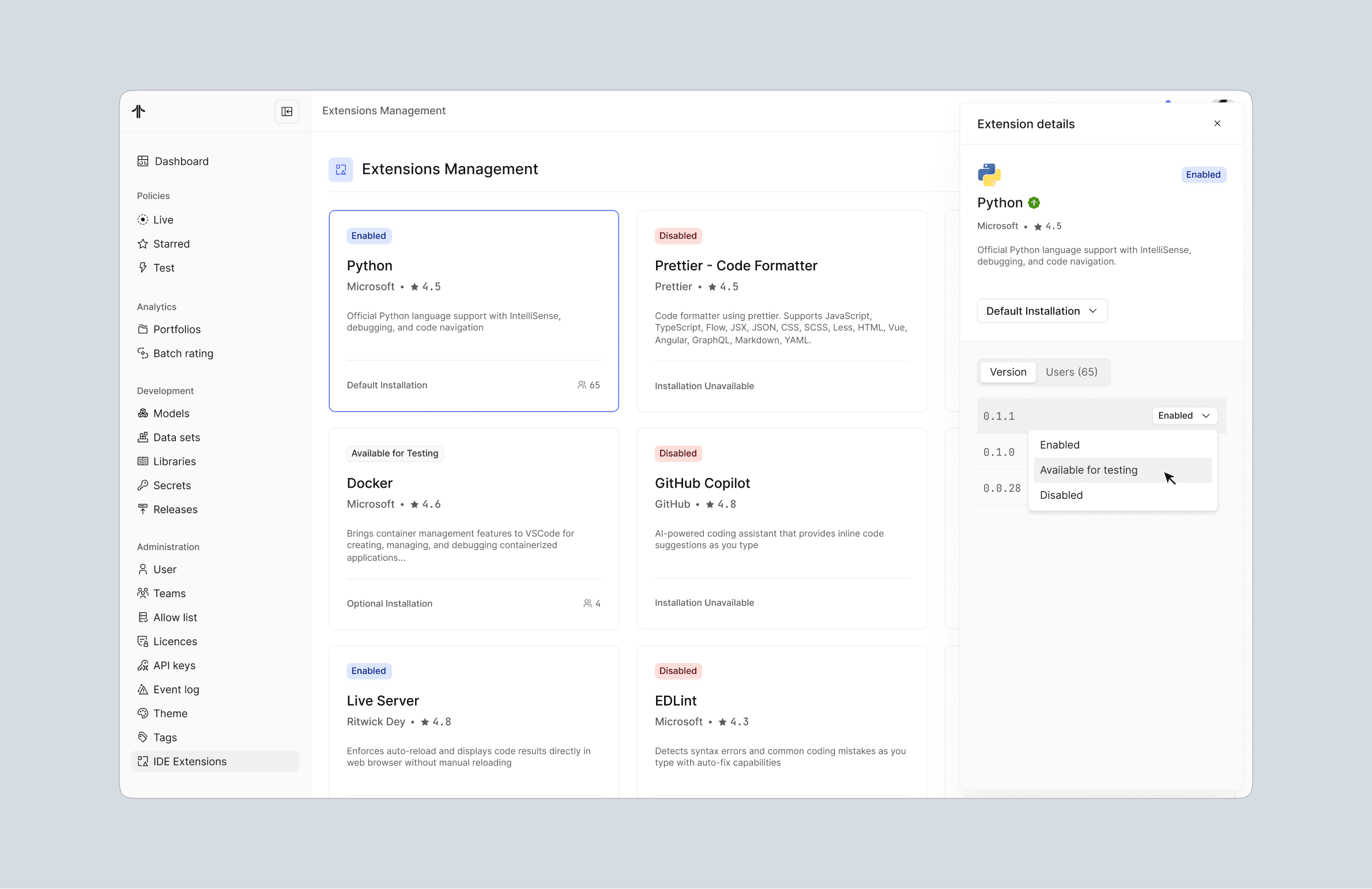
A key focus during exploration was ensuring that admins always understood what action they were taking and its consequences. We explored different confirmation patterns and landed on a layered approach that:
Clearly communicated the impact of enabling or disabling an extension
Prevented accidental changes to production environments
Reinforced user confidence when making high-risk decisions
Security as a first-class constraint
Given the sensitivity of the insurance domain, security was non-negotiable. We committed to vetting and safety-testing every extension surfaced in the product, ensuring customer data could not be exposed or misused.
To make this visible and trustworthy for users, we introduced a verification signifier next to each approved extension, reinforcing that it had passed internal security and compliance checks.
Leveraging existing ecosystems
To avoid duplicating effort and to ensure accuracy, extension metadata displayed in the details sidebar (e.g. descriptions, versioning, and author information) is fetched directly from the official VS Code Marketplace. This allowed us to stay aligned with an established ecosystem while maintaining platform control.
The admin flow
The resulting flow enables admins to:
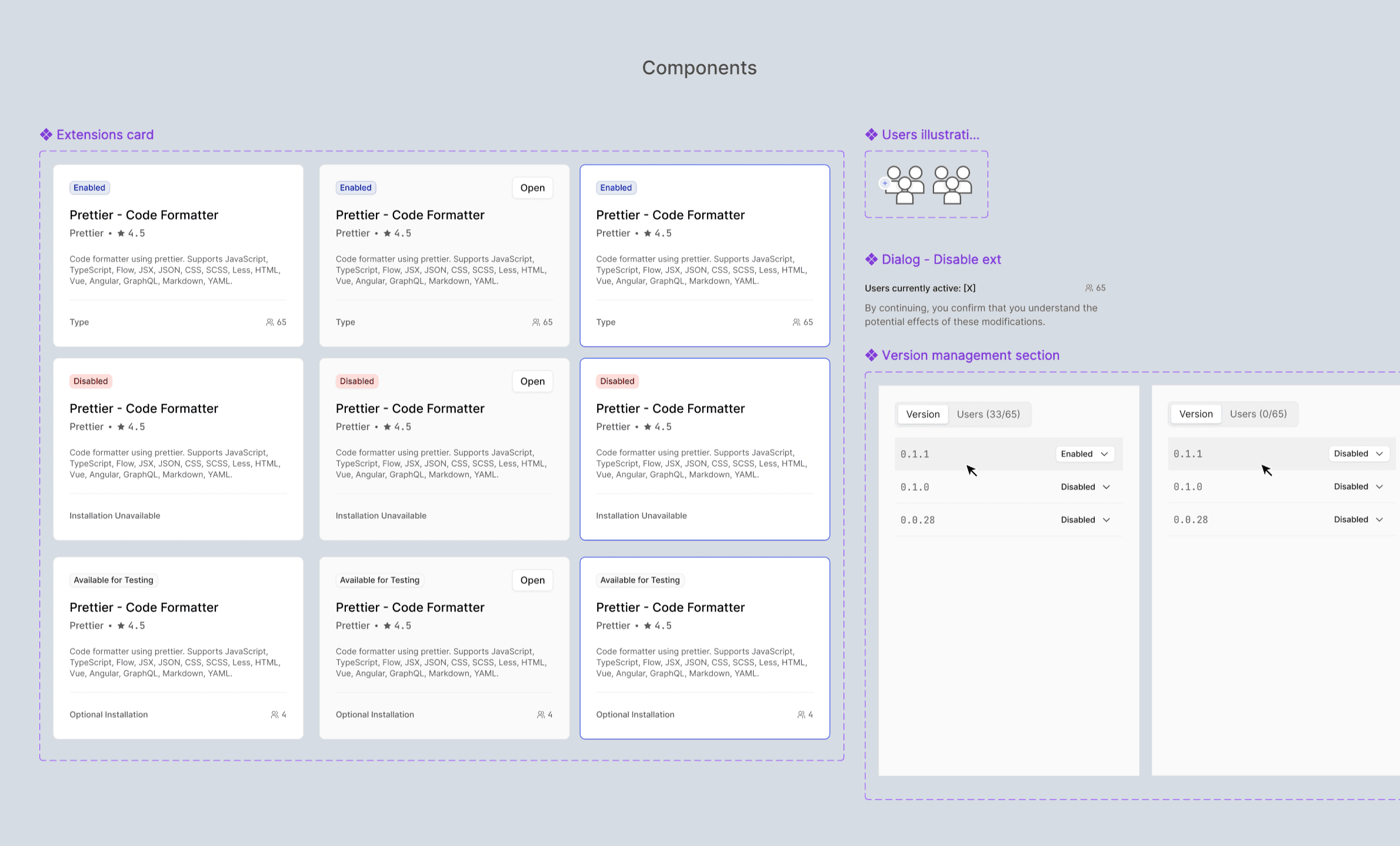
Browse a curated, closed marketplace of approved extensions
Review detailed information before taking action
Enable or disable extensions at a version level
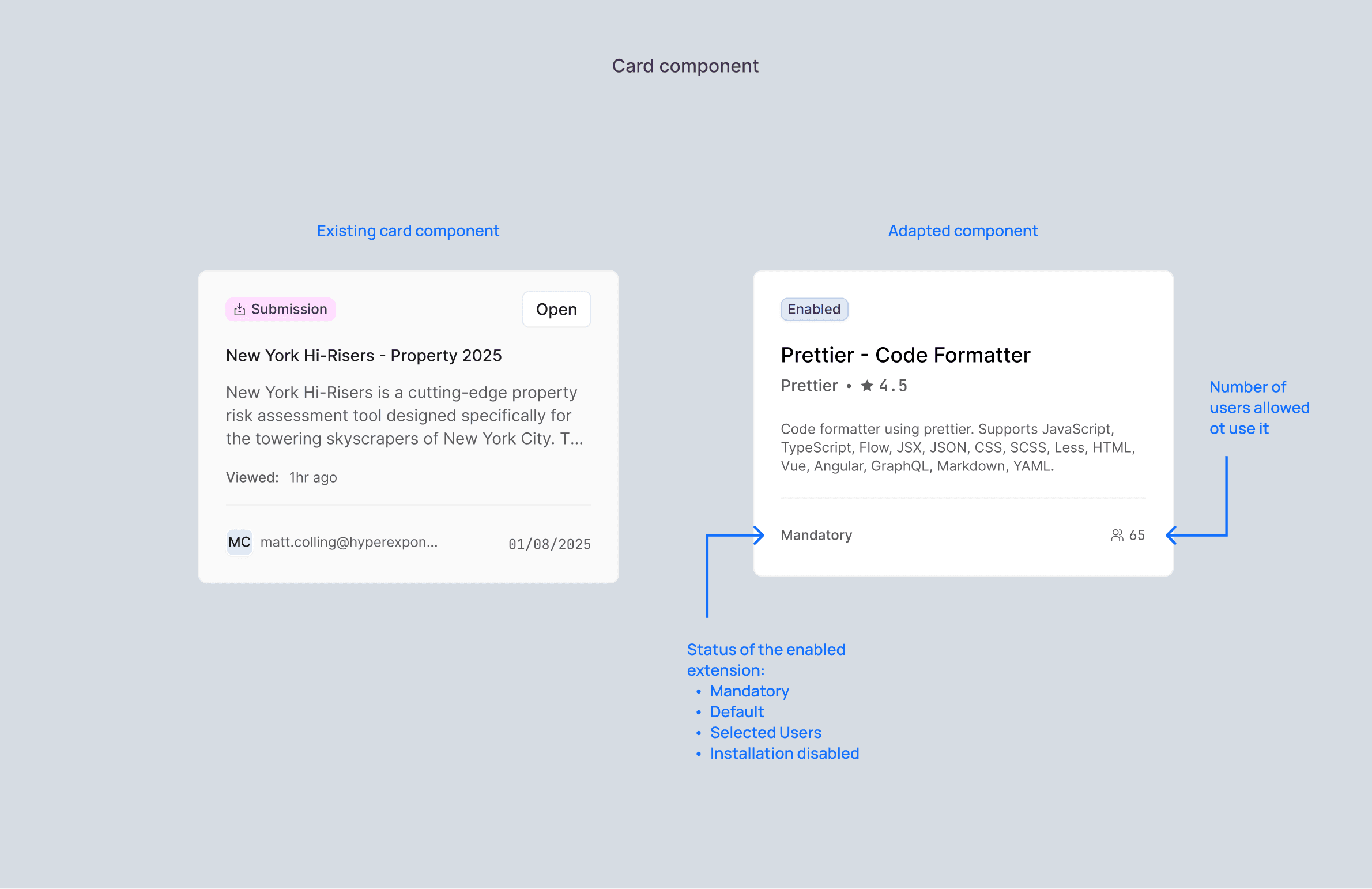
Define installation rules per extension:
Mandatory
Default
Optional
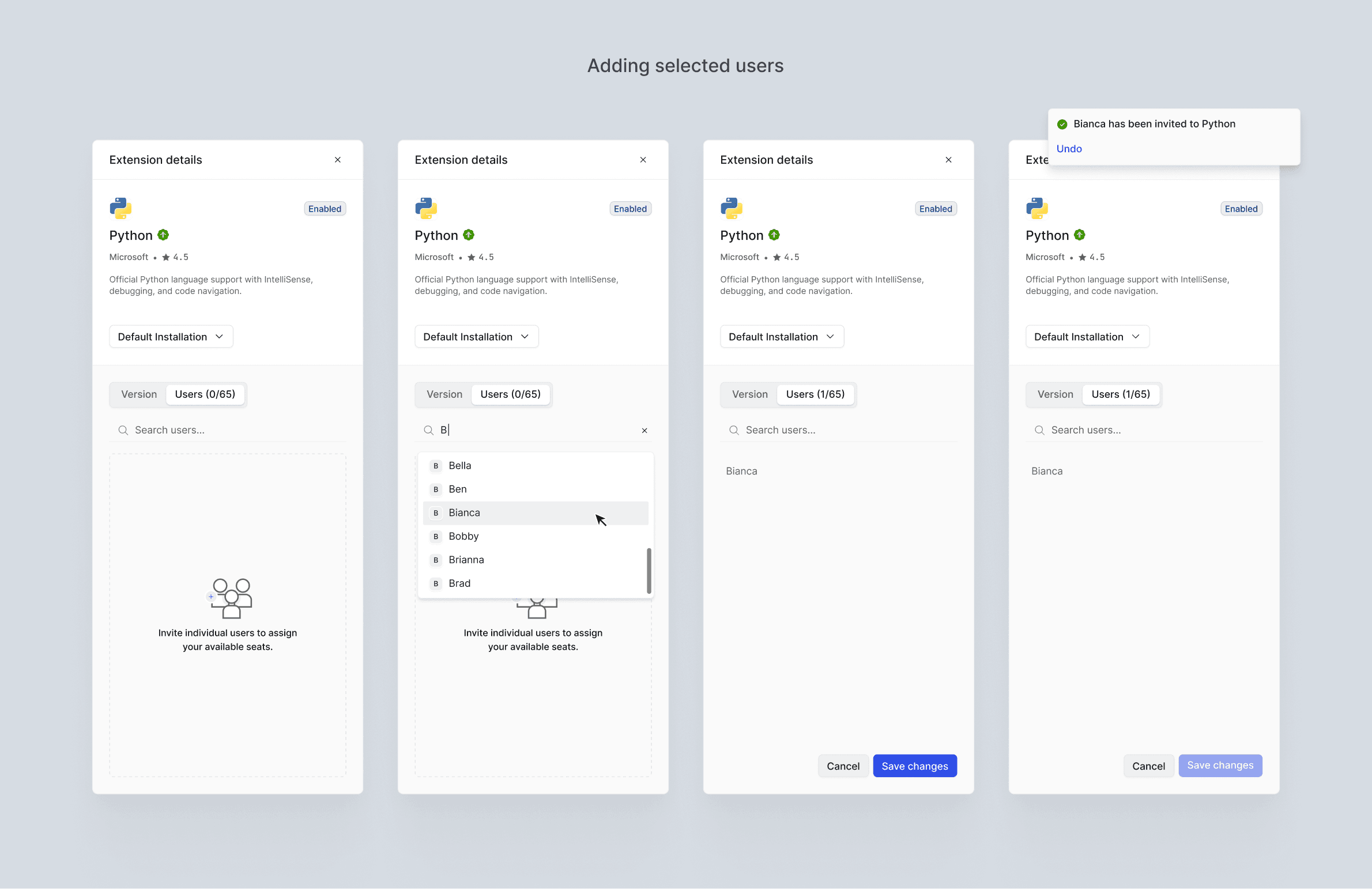
Assign licenses to specific users when extensions are paid per seat, or invite selected users to access certain tools
Outcome and Impact
In practice, this approach allows organisations to:
Manage extensions centrally and safely through a controlled marketplace
Restrict access to sensitive or commercial tools (such as AI-powered extensions) to specific users or groups
Maintain auditability, security, and environment consistency across teams
Unlocking internal tools
This work also unblocked the distribution of our Actuarial Agent, developed by the AI team. Previously unavailable in the cloud IDE, it can now be installed like any other verified extension. The agent acts as a co-pilot for model developers by:
Providing guidance on proprietary UI components
Surfacing relevant documentation and FAQs
Profiling and supporting code authoring
This not only simplified installation and access, but also ensured the agent could be rolled out safely, selectively, and at scale.